BullLens v1.1.2 — Ticker inspector, target portfolio and new badges
INSTALLED 25 Oct 2026Inspect any stock or ETF on one screen, set target weights for your holdings and get a monthly plan to reach them without selling. Invite friends with your own link, collect nine new badges, see your copies inside the Portfolio, and enjoy much faster refreshes for large portfolios.
What actually changed
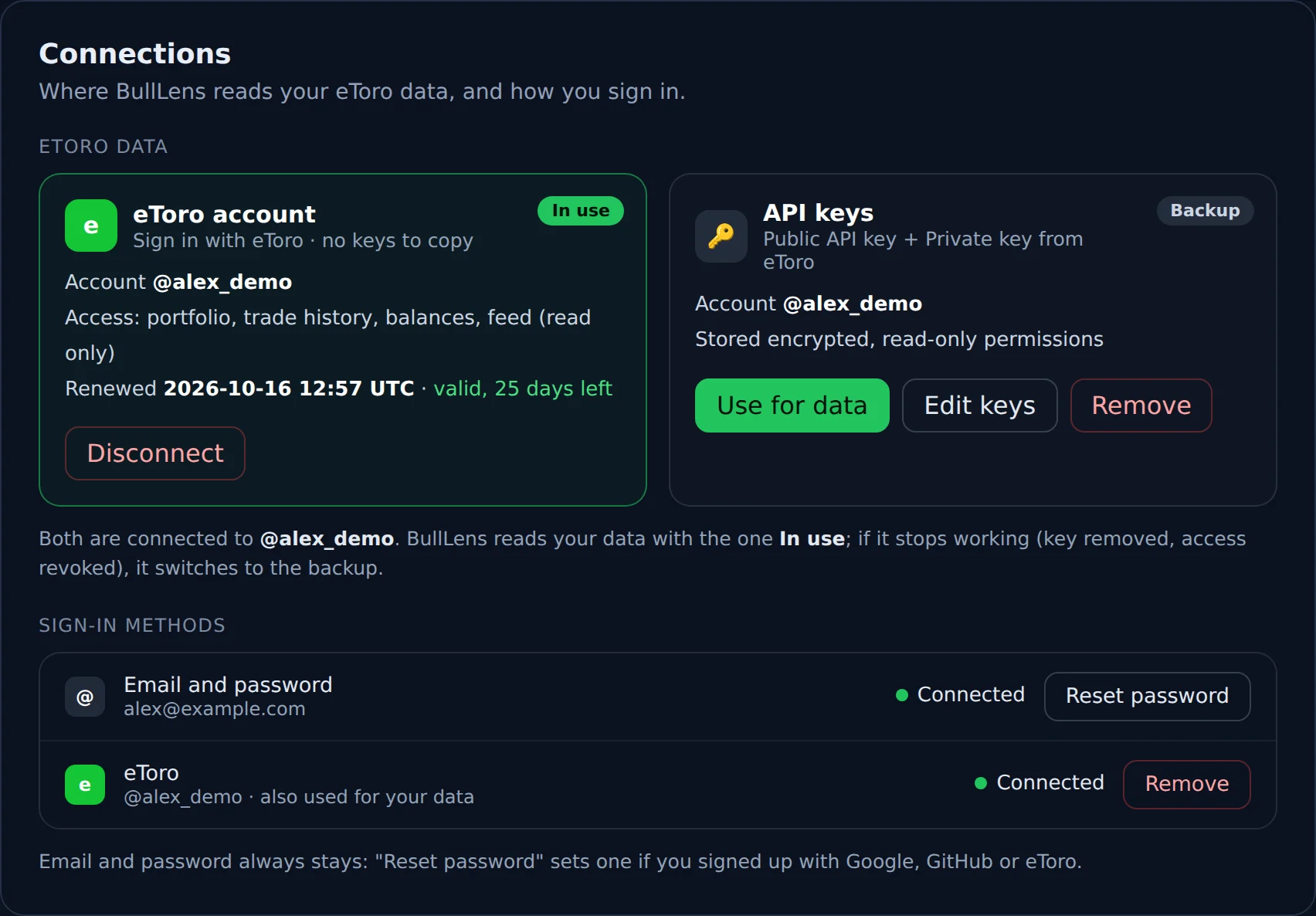
Connect with eToro, the only way in. BullLens now reads your eToro data only through Connect with eToro: you approve read-only access on eToro's own page and BullLens renews it for you. There are no API keys to create, copy or paste any more. If you connected BullLens with API keys, open Account settings and click Connect with eToro once to keep your pages updated.
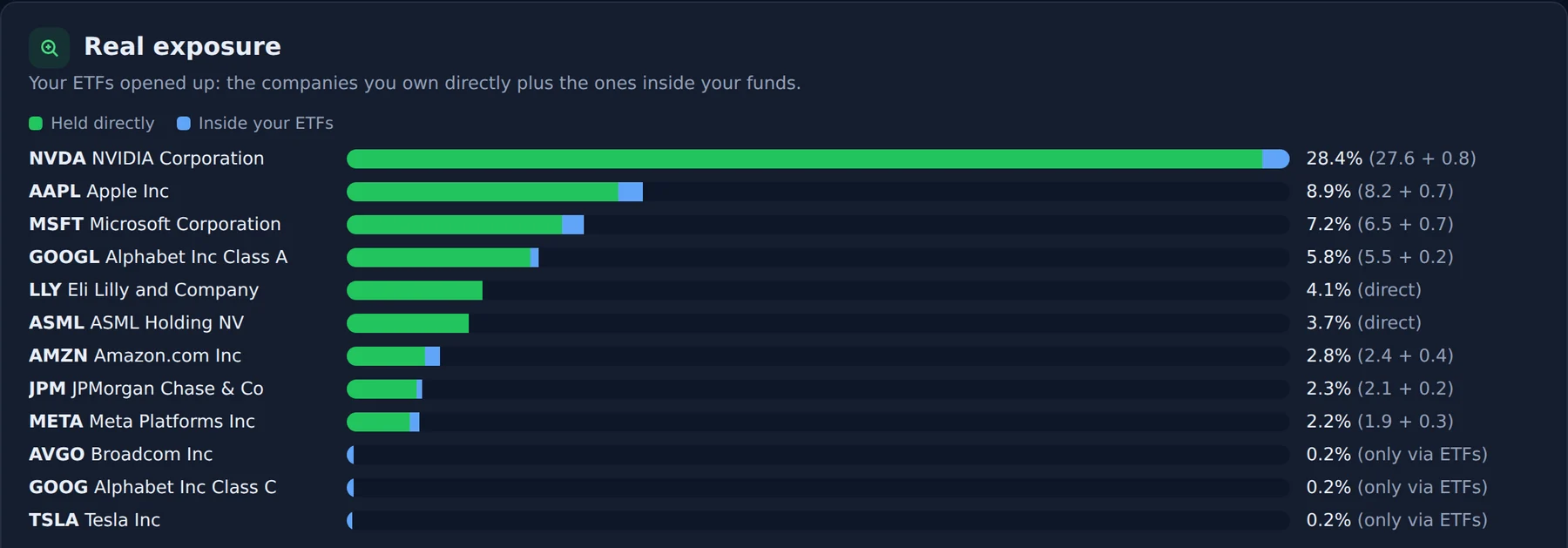
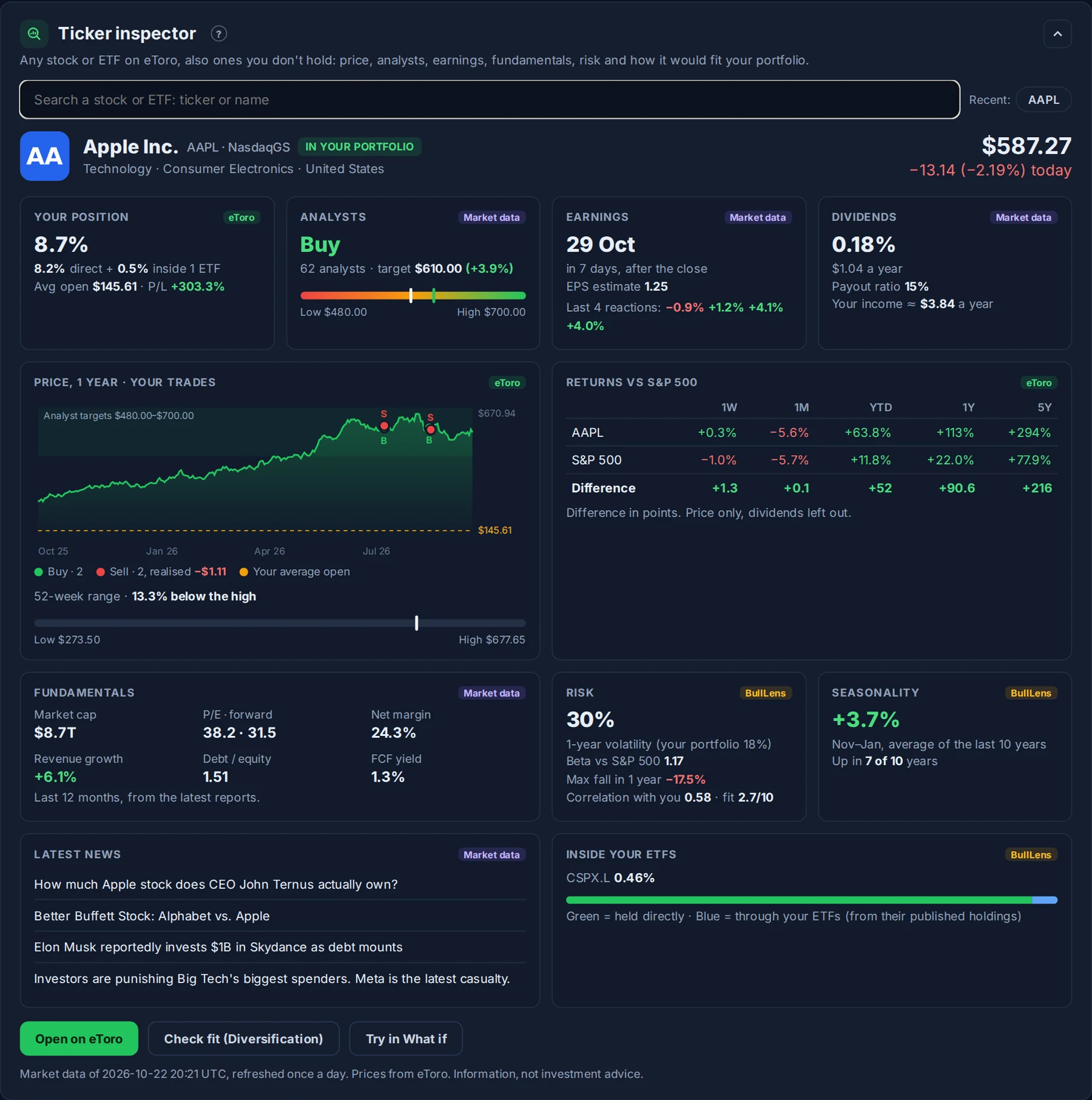
Ticker inspector. A new card at the top of Tools: search any stock or ETF on eToro, also one you don't own, and get everything about it on one screen. Price and today's move, what analysts expect, the next earnings date and how the price reacted to the last four reports, dividends, a one-year chart with your own buys and sells on it, how far it is from its 52-week high, returns against the S&P 500 from one week to five years, the key fundamentals (or the fund's figures for an ETF), its risk next to your portfolio's, how it usually does in the coming months and the latest news. If you hold it, you also see your weight, including what your ETFs hold of it, your average price and your profit. One click checks how it would fit your diversification or tries it in What if.
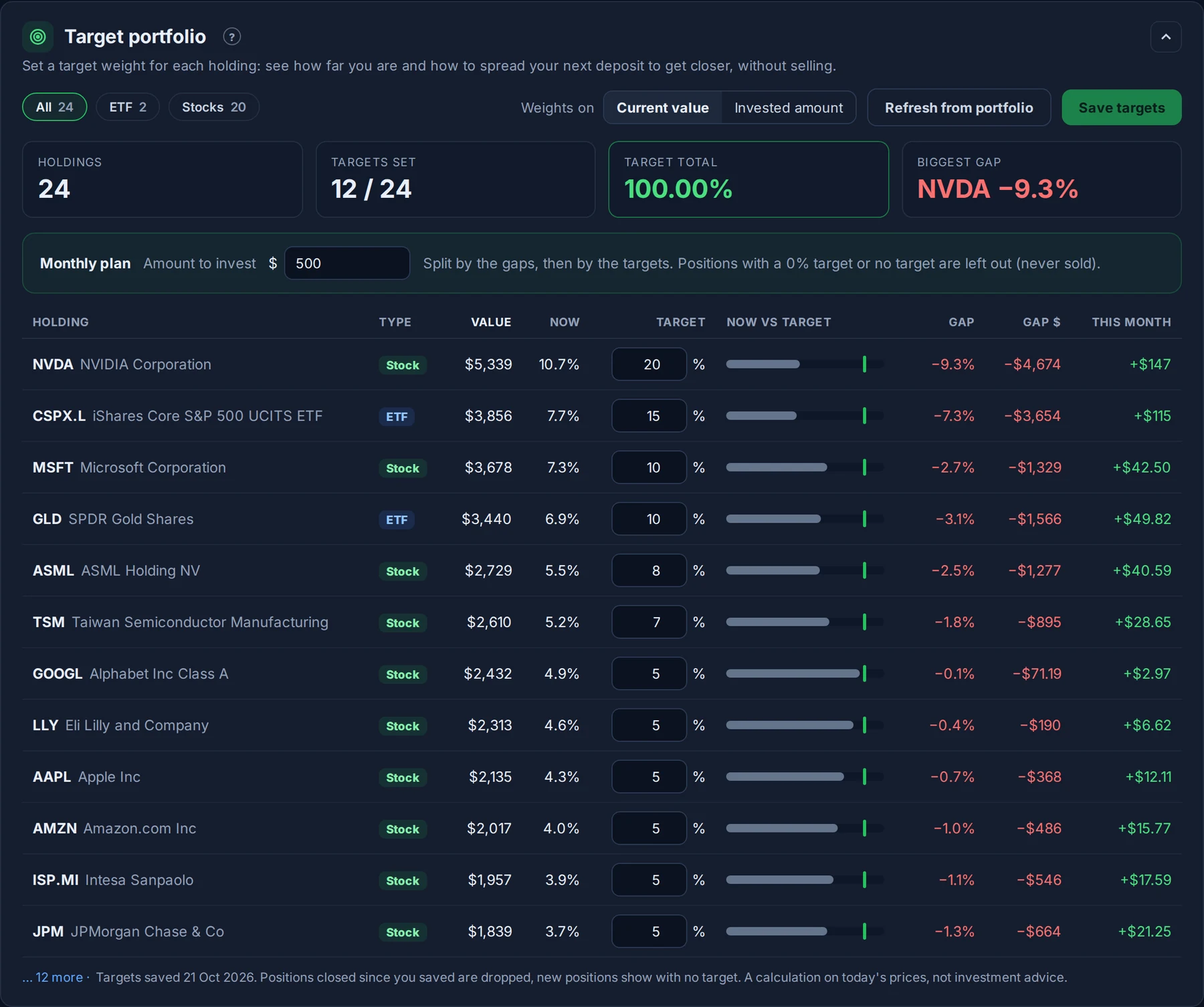
Target portfolio. A new card in Tools. Give each holding a target weight and BullLens shows where you stand: current weight against target, the gap in % and in money, and a bar for each position. Type how much you want to invest this month and the monthly plan spreads it over your holdings to move you toward the targets, without selling anything. Weights can be on current value or on the amount you invested, and you can filter ETFs or stocks. A holding with a 0% target is simply left out of the plan.
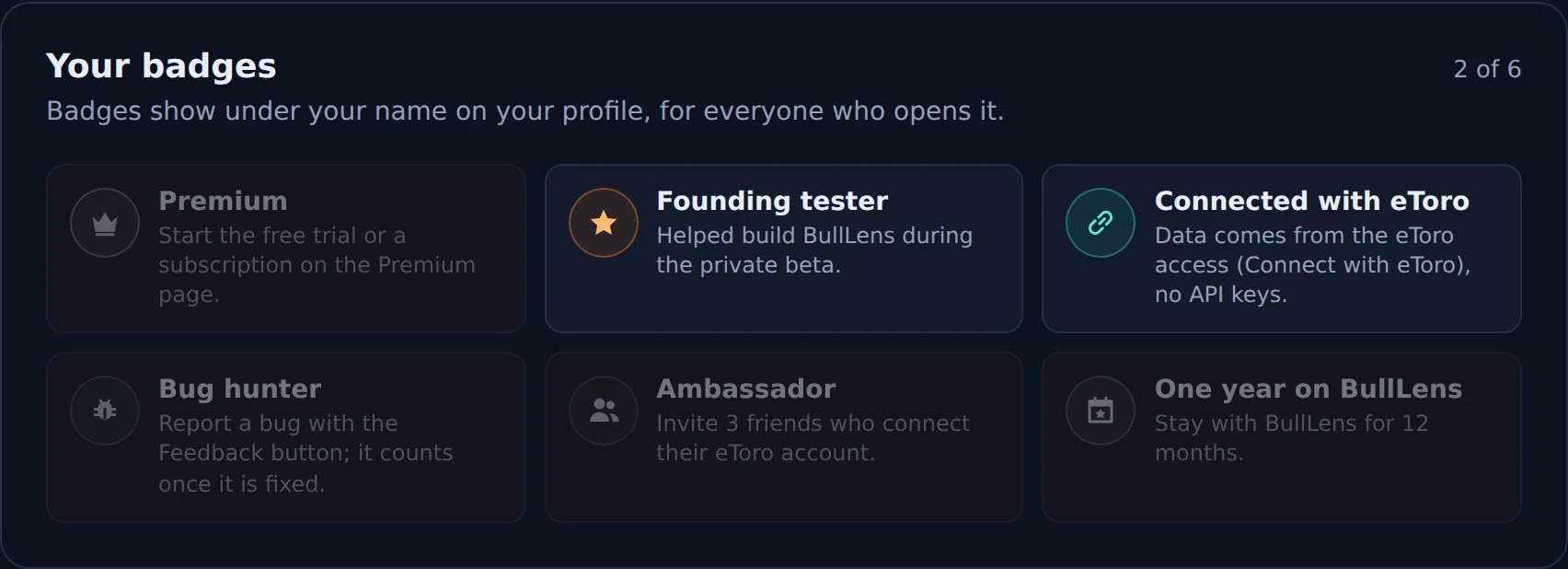
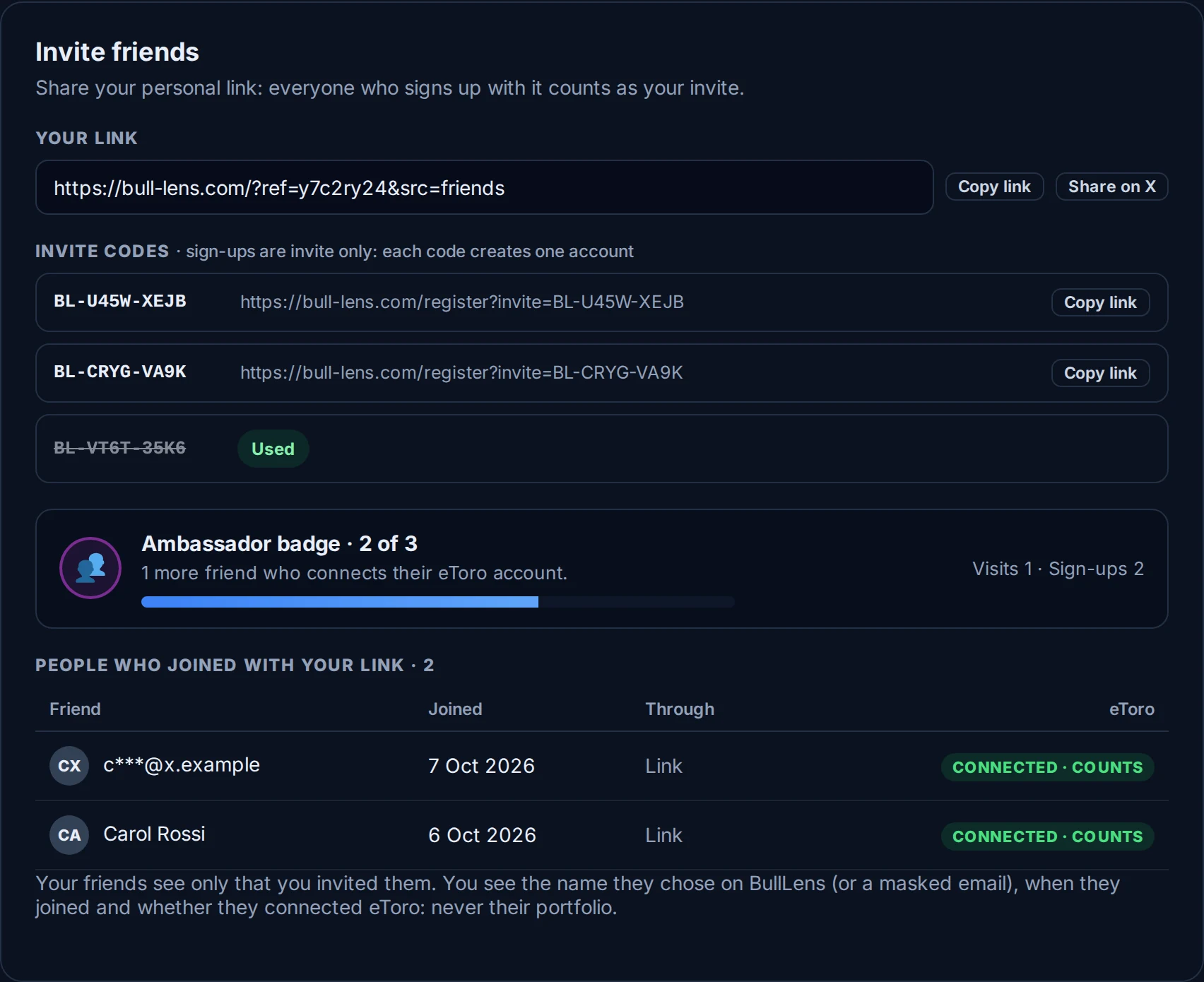
Invite friends. Account settings now always shows your personal link, with Copy and Share on X buttons, and the people who joined through it: when they joined and whether they connected eToro. Your friends only see that you invited them, never your portfolio. Three friends who connect eToro earn you the Ambassador badge.
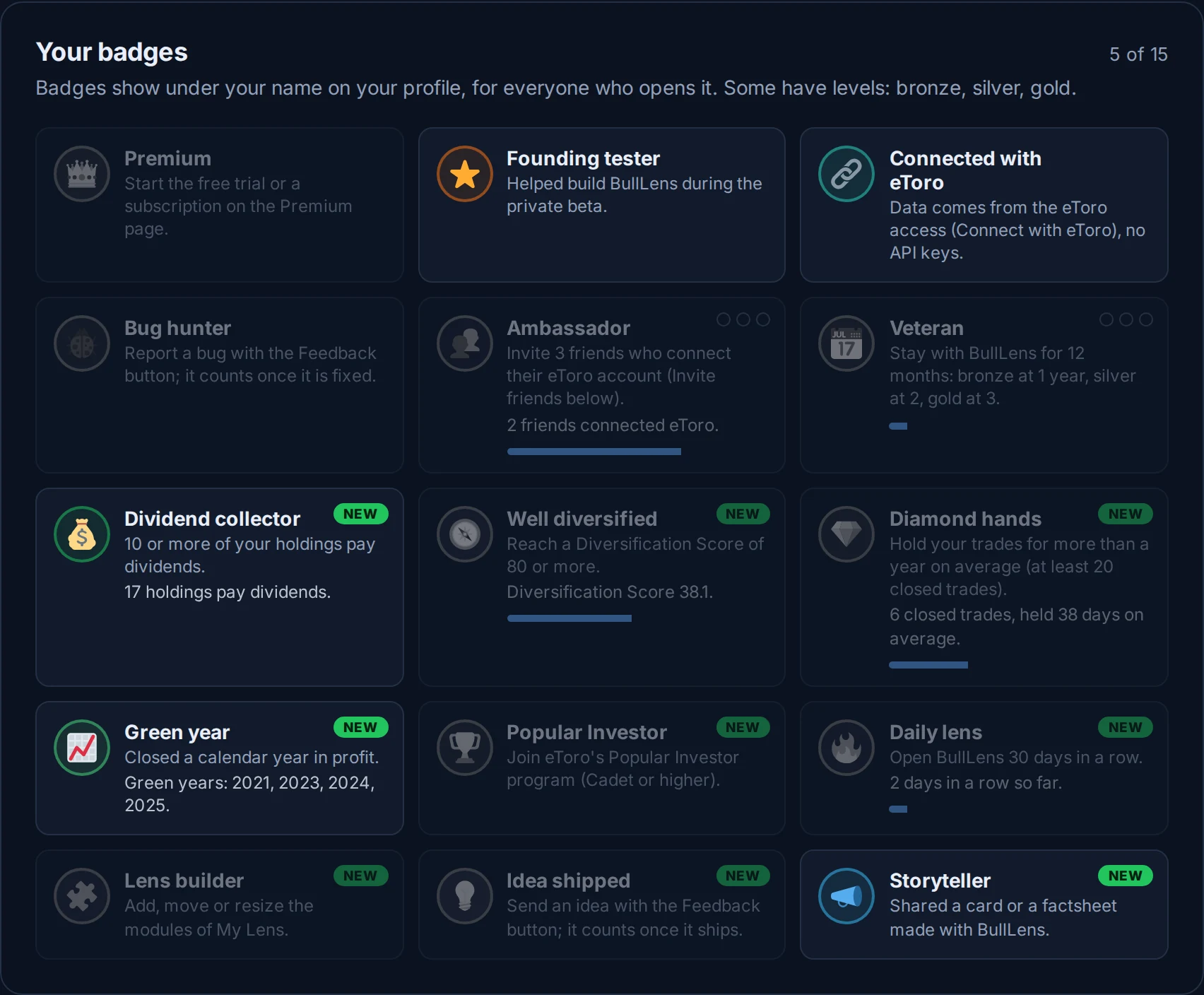
Nine new badges. Dividend collector, Well diversified, Diamond hands, Green year, Popular Investor, Daily lens, Lens builder, Idea shipped and Storyteller join the six from 1.1.1. Ambassador and Veteran now have bronze, silver and gold levels, badges you are working on show a progress bar, and every badge has a new icon. Your profile shows up to eight of them under your name.
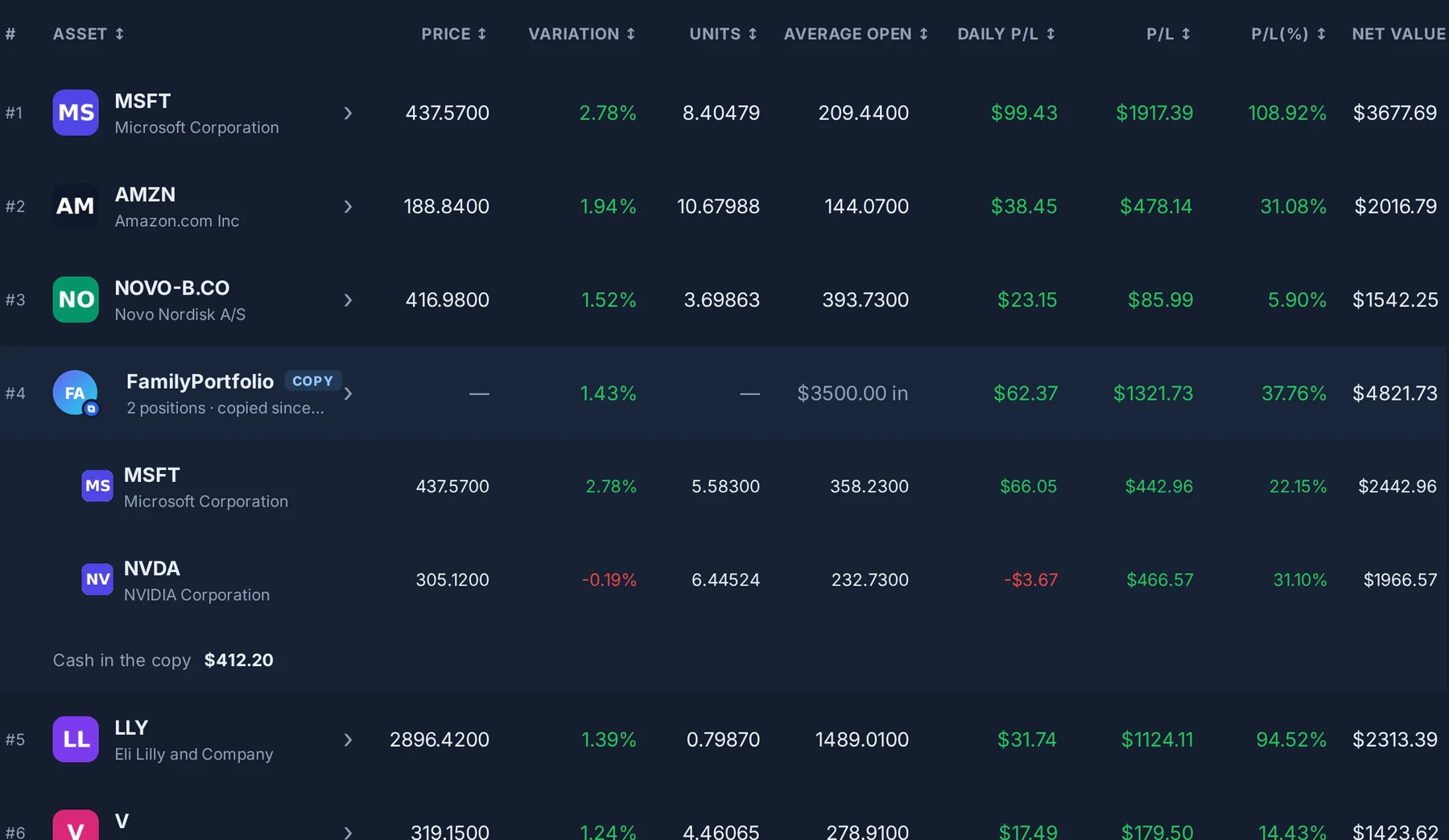
Your copies in the Portfolio. Investors you copy and Smart Portfolios are now rows of their own: value, P/L and daily P/L of the whole copy, and a click opens its positions and the cash left in it. Their daily P/L now counts in Today, so your total matches eToro's list of assets.
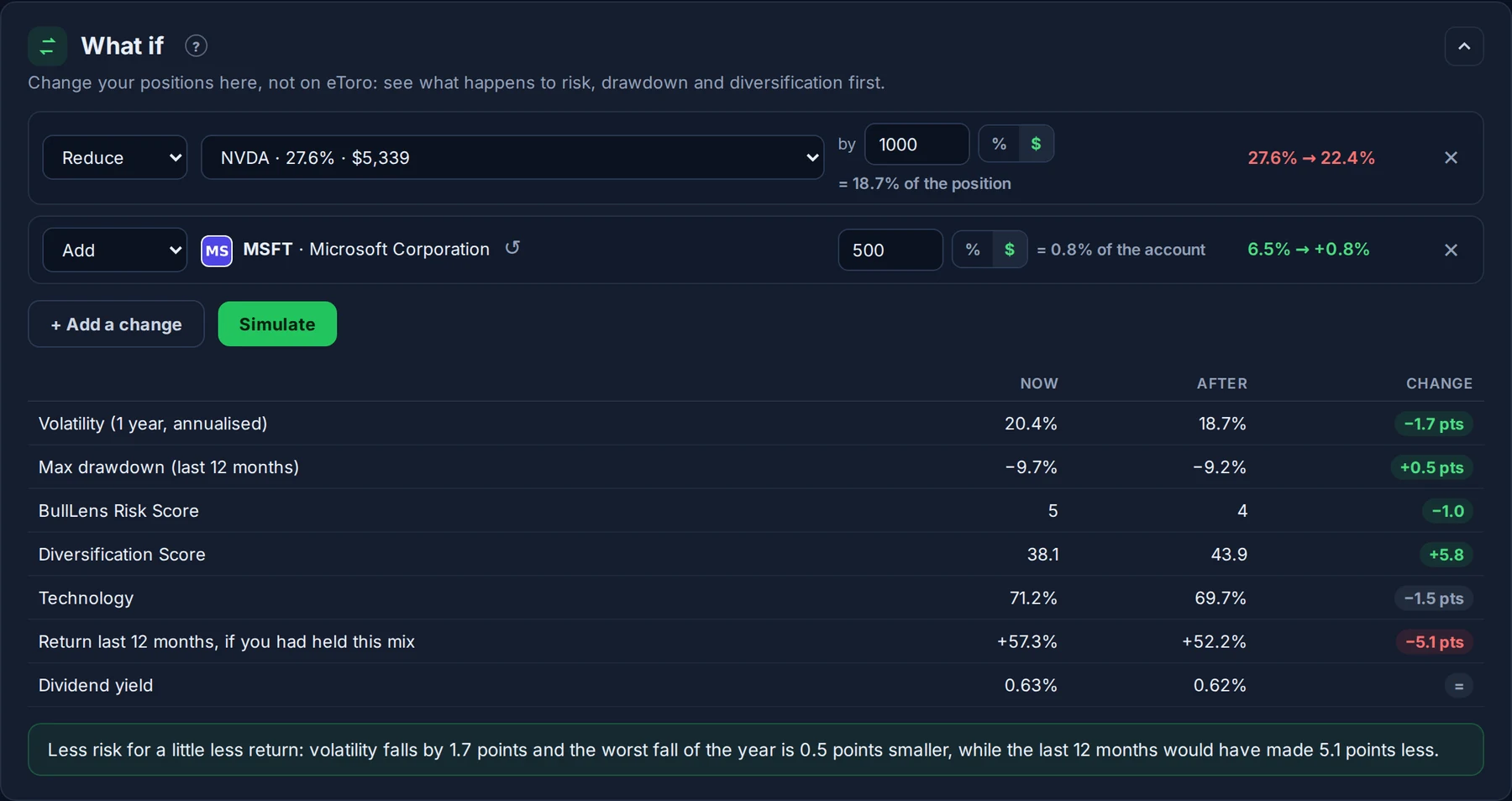
What if in dollars. Every change in What if can now be typed in % or in dollars: "reduce NVDA by $1,000" or "add $500 of an ETF". Next to the field you see the same change in the other unit, and the list of positions shows what each one is worth today.
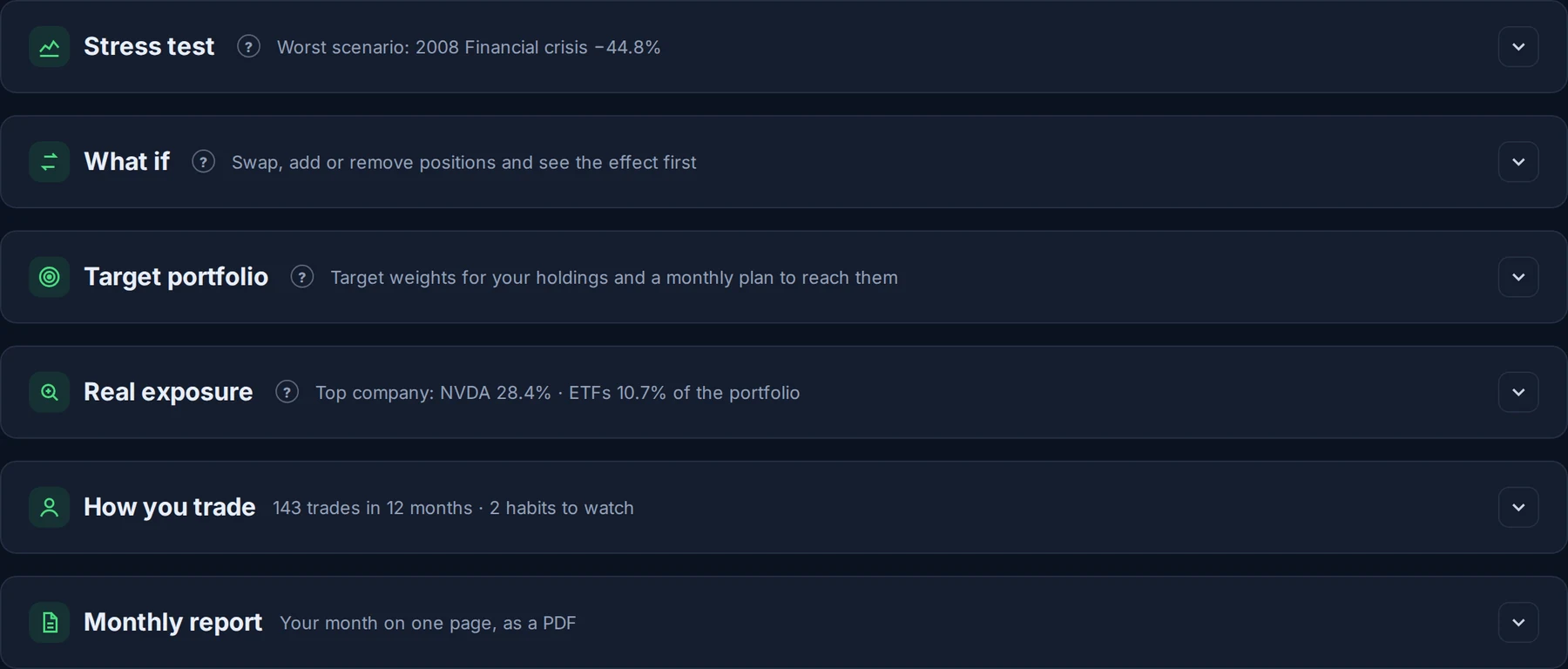
Tools you can fold. Every Tools card folds to its title with a one-line summary, with Expand all and Collapse all at the top. The page remembers what you folded.
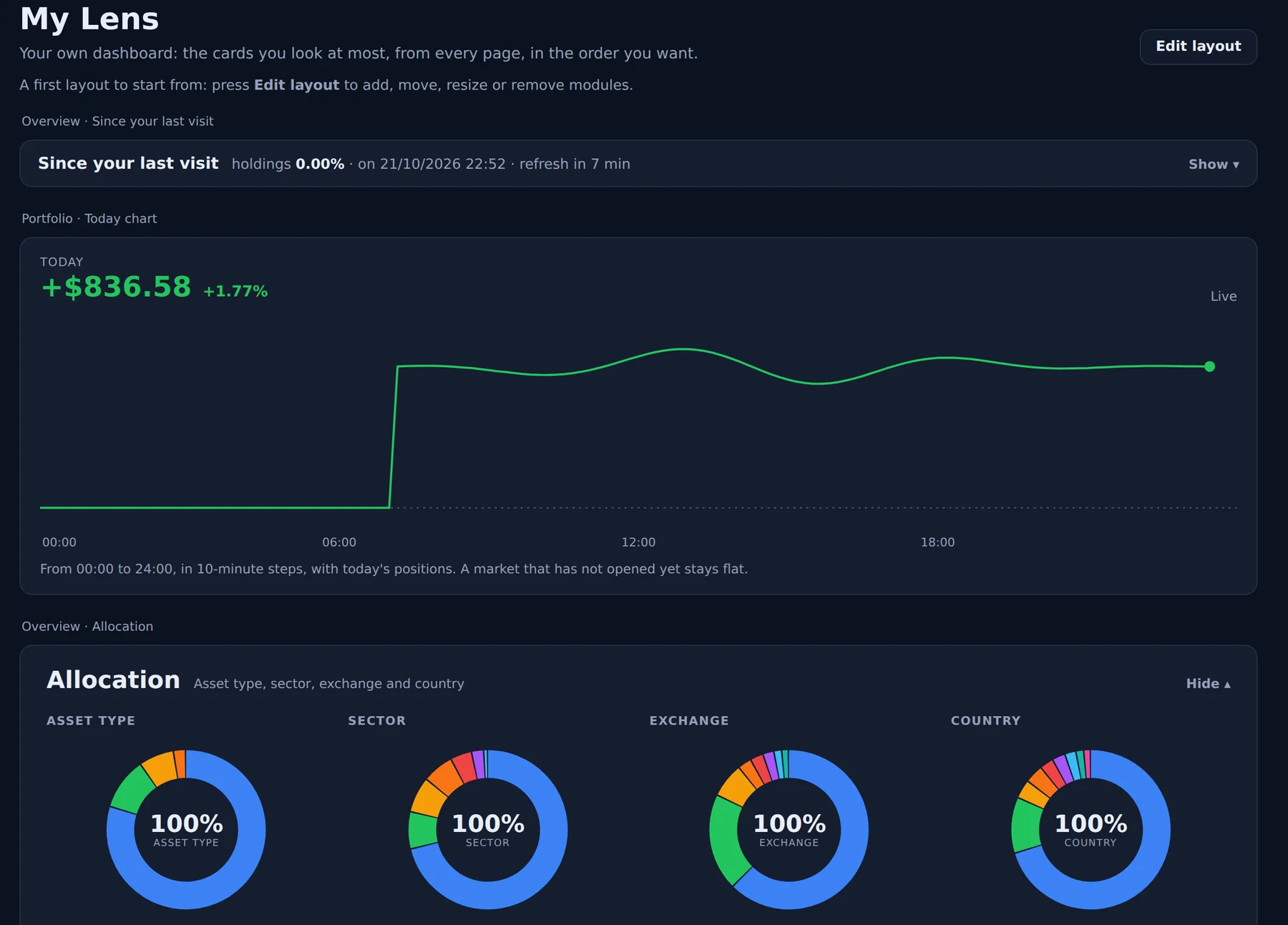
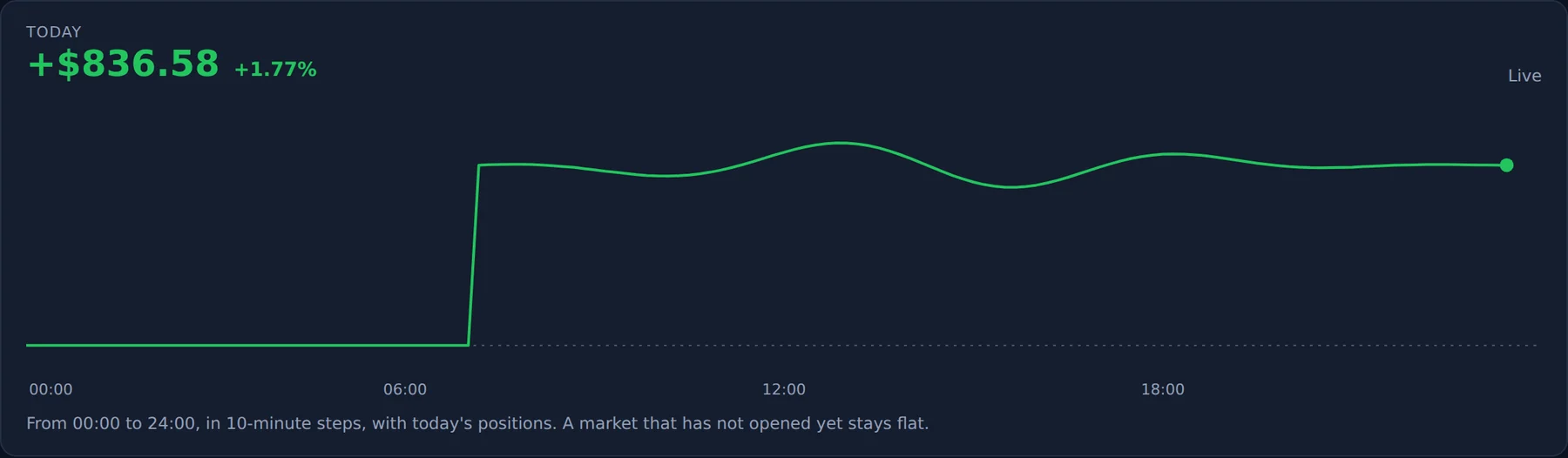
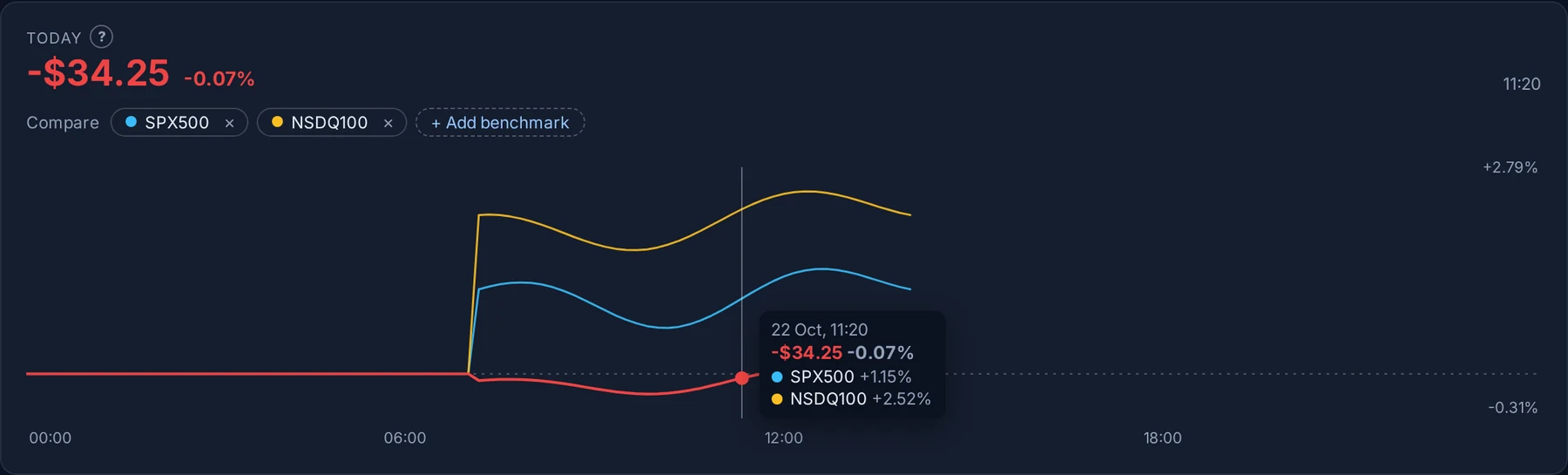
Today, next to the markets. Moving the mouse over the Today chart shows the date, time and amount of each point, and with "+ Add benchmark" you can draw the S&P 500, the Nasdaq 100, gold or any other instrument on the same day, so you see at a glance whether you beat the market today.
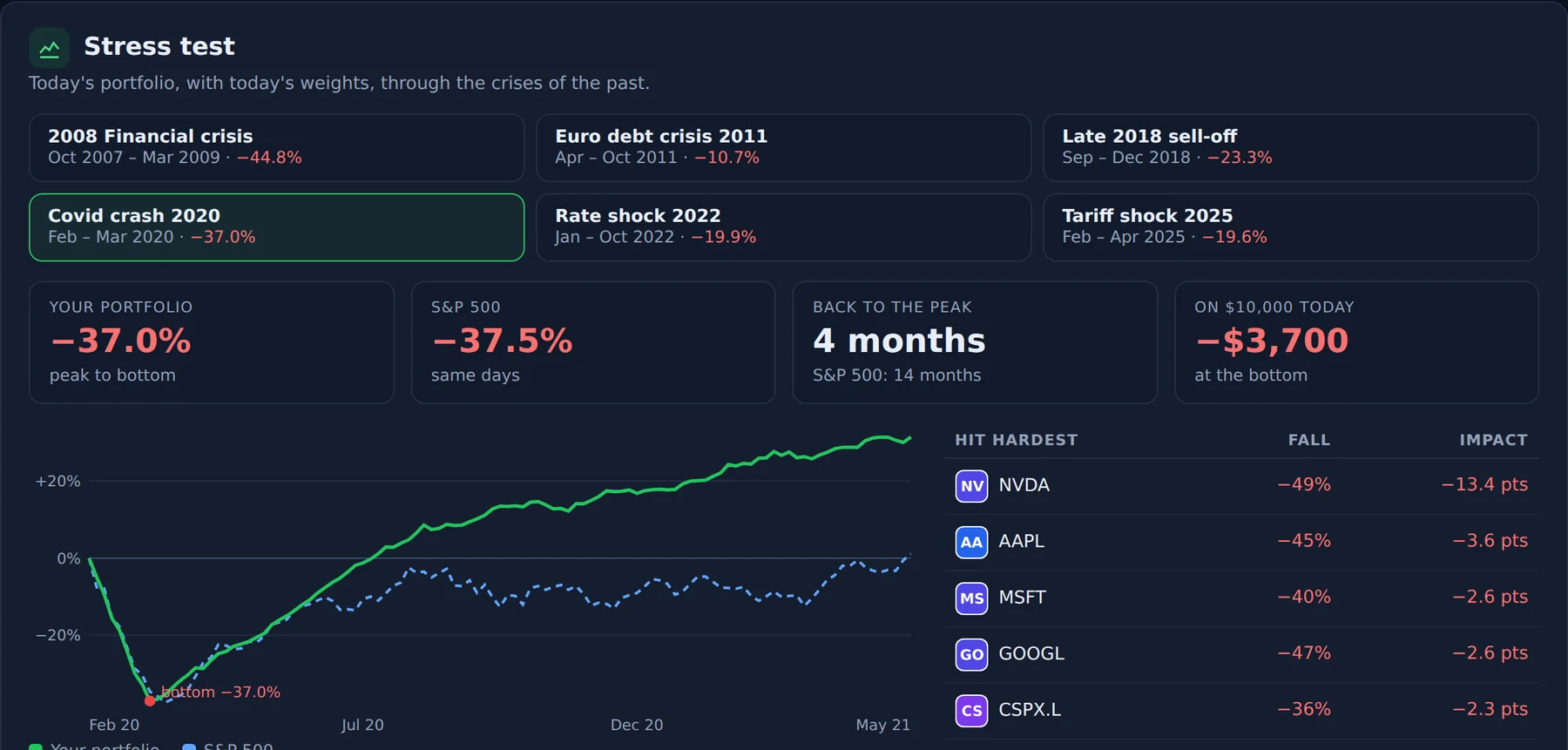
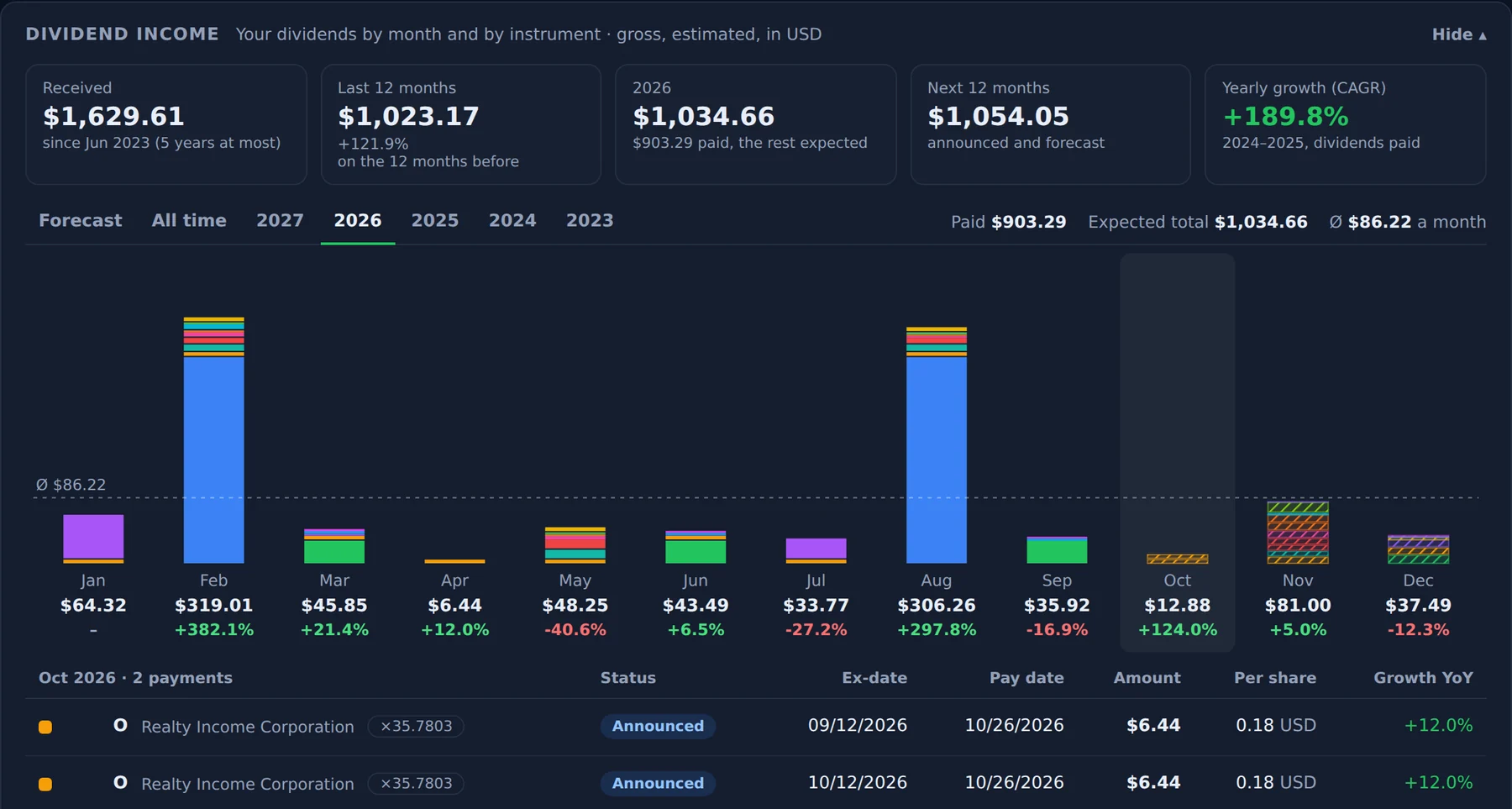
Help on more cards. A "?" next to the title of ten more cards explains in plain words how the figures are built: dividend yield, dividend income, Diversification Score, Ticker check, BullLens Risk Score, performance metrics, and the Tools Stress test, What if, Target portfolio and Real exposure.

Release notes. This page: every BullLens update with what changed and screenshots, reachable from the What's new box and the page footer.
Faster refreshes for large portfolios. Portfolios with hundreds of positions refresh much faster and more steadily: dividends, prices and closed trades are read in smaller steps and reused during the day.
One font everywhere. BullLens now brings its own font, so pages look the same on Windows, Mac and phones.
Forgot your password? The link on the sign-in page now sends you an email to choose a new password. The link works once and for an hour, and setting a new password signs you out of BullLens on your other devices.
Safer sign-in. After a few wrong passwords, two-factor codes or invite codes BullLens asks you to wait a few minutes before trying again.
Lighter on your eToro account. Pages open from the data BullLens already prepared instead of asking eToro each time, the Portfolio's live mode refreshes every 20 seconds and pauses while the tab is in the background, and several pages of the same account no longer wait for each other.
Fixes.
- The Feedback button no longer covers the links at the bottom of the page.
- Links in the What's new box open in a new tab.
- The Feed refresh no longer fails when eToro is slow on a single page of posts.
- On phones, Trades shows your latest 25 closed trades first, with a button for the rest.
- A missing page now shows a proper BullLens page.
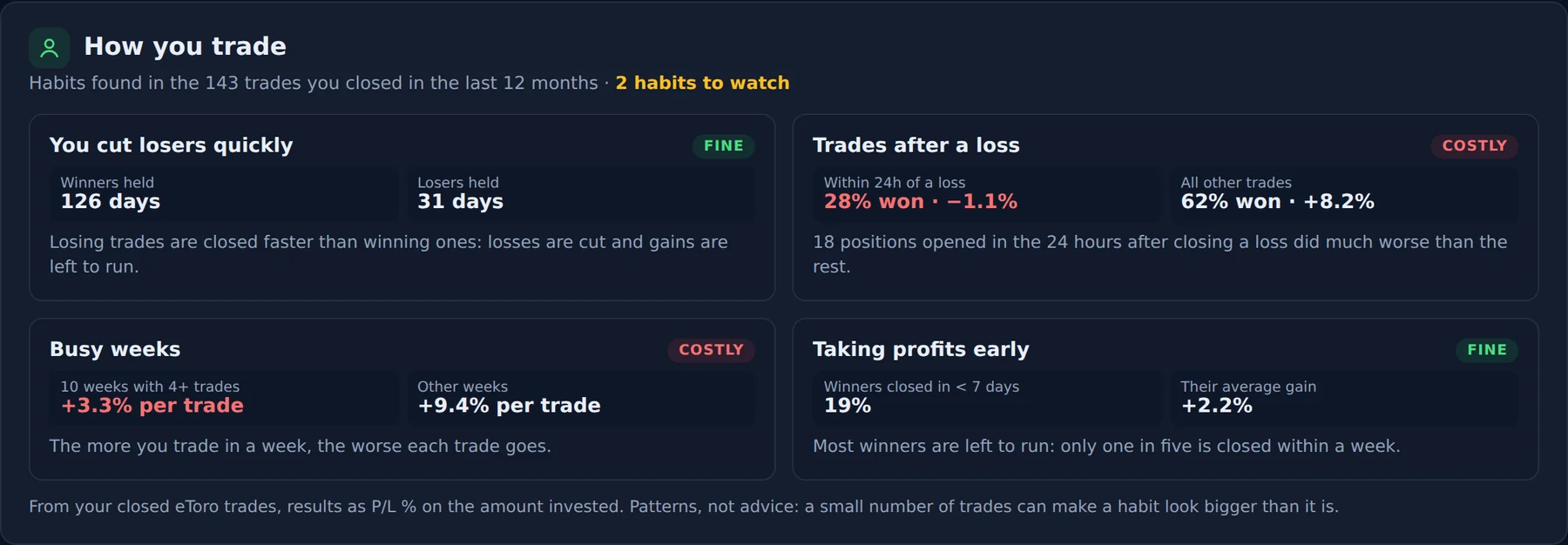
- The yellow "AI" label is now called Insights: those figures are worked out with fixed, transparent rules from your own data, not by an AI model. Diversification's suggestions are now "Points to review".
Still honest limitations
- The Ticker inspector shows analysts, earnings, fundamentals and news only where public market data exists: smaller or non-US listings can miss some of them, and crypto shows prices, returns and risk only.
- Target portfolio works on the positions you hold directly: copies and Smart Portfolios are left out.
- The monthly plan is a calculation on today's prices, not investment advice.
- For accounts with thousands of trades, the closed trades history can cover a shorter period when eToro answers slowly; it fills up over the next refreshes.
- Badges that depend on your data (dividends, diversification, holding time, green years) update after the next refresh.
- BullLens analyzes portfolios: it does not give investment advice